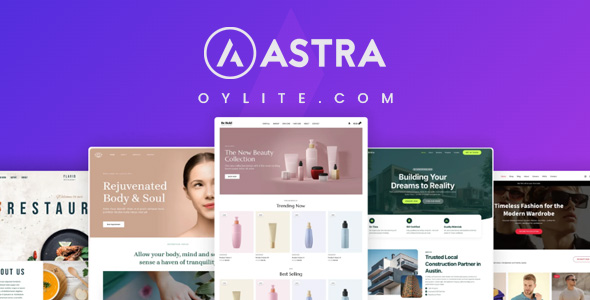
Astra Pro is the premium add-on to the Astra theme, designed to enhance your website building experience. Astra Pro is perfect for those new to website development. With user-friendly features and starter templates, beginners can create a website without any coding knowledge.
Astra Pro Addon Features
- Infinite Scroll
Enable Infinite Scroll to automatically load more products as users scroll, providing a smoother and continuous shopping experience. - Highlight First Post
Highlight First Post enables you to feature your most important post at the top of the blog, drawing attention to key content. - Footer Elements
Add and customize essential footer elements like menus, social icons, widgets, and HTML blocks to meet your specific needs. - Custom Exclusion Rules
Custom Exclusion Rules let you hide or exclude specific elements on certain pages or under particular conditions, offering advanced content control. - Countless Design Possibilities
Unlock unlimited creative freedom with Astra’s vast customization options. Choose from endless layouts, colors, fonts, and more to build a unique site that perfectly fits your brand. - Even Faster Customizations
With Astra’s user-friendly interface and optimized tools, you can make design changes faster than ever. Customize your site in minutes without compromising quality or style. - Live Preview
With Astra’s Live Preview, see your design changes as you make them. Get instant feedback and perfect your site’s look before hitting publish. - Grid Settings
Customize product display with flexible grid settings for columns and spacing, enhancing your store’s layout and making browsing easier. - Shop Card Layouts
Choose from multiple Shop Card Layouts to customize product card styles, making it easier to showcase your products in an attractive way. - Advanced Styling Options
Personalize footers with advanced options like column spacing, background images, and typography to create a professional look. - Dropdown Cart
The Dropdown Cart feature lets customers view their cart items without leaving the page, making it more convenient to check and edit selections. - Design Customization
Fine-tune your footer’s design with controls for colors, typography, and layout to seamlessly match your website’s theme. - Blog Structure Control
Blog Structure Control allows you to manage the order and display of blog elements, such as excerpts, featured images, and post metadata, to create a personalized layout. - Real-time Preview
See your changes instantly as you make them! Astra’s real-time preview ensures you can tweak your design and view the final result immediately, saving time and improving your workflow. - Extensive Font Library
Astra’s Extensive Font Library offers hundreds of Google Fonts and custom options, making it simple to find the perfect typeface for your brand. - Responsive Typography
Astra’s Responsive Typography ensures your text looks great on every device by automatically adjusting font sizes and spacing for mobile, tablet, and desktop. - Typography Presets
Skip the guesswork with Astra’s Typography Presets. Choose from beautifully designed font combinations that give your site a polished look. - Modern Cart
The Modern Cart offers a sleek, user-friendly design with quick access to the cart for a smoother checkout process. - Responsive Controls
Adjust footer layout and visibility for mobile and desktop views, ensuring a fully responsive design for all devices. - Global Color Palette
Astra’s Global Color Palette simplifies managing brand colors across your site. Make changes once, and they’ll update everywhere for seamless consistency.” - Date Box
The Date Box adds a stylish date box next to each post, helping visitors quickly identify when the content was published, improving navigation and time relevance. - Custom Layouts
Create fully custom footer layouts with flexible column controls, whether stacked or inline, and optimize them for all devices. - Responsive and Mobile-Friendly
Enjoy a seamless experience on desktops, tablets, or phones. You also get responsive layouts and dedicated mobile-specific settings. - Off-Canvas Sidebar
The Off-Canvas Sidebar lets you create a hidden, slide-out menu for a cleaner, more organized product navigation on mobile devices. - Just Drag, Drop, and Build
Effortlessly create stunning websites with Astra’s intuitive drag-and-drop builder. No complicated steps—just place elements where you want them, making customization quick and easy. - No Coding Skills Required!
Astra empowers you to create professional websites without writing a single line of code. From headers to footers, easily design and customize every part of your site with zero technical expertise needed. - Multi-Column Layouts
Organize your website menu using multi-column menus, making it easier for users to navigate your website and find what they need. - User Role Specific Layouts
User Role Specific Layouts enable you to customize your site’s appearance for different user roles, providing a tailored experience for each group. - Gallery Options
Enhance product images with various Gallery Options, such as zoom, lightbox, and sliders, offering a better visual experience for your customers. - Custom Menu Width
Customize the width of your mega menu with options like content width, menu container width, full width, full width stretched, or custom pixel width. - Responsive Design Tools
With Responsive Design Tools, Astra lets you optimize your site’s look across all devices by adjusting layouts and styling for mobile, tablet, and desktop. - Responsive Designs Made Easier
Astra makes responsive design a breeze. With built-in mobile, tablet, and desktop settings, you can ensure your site looks great on any device, delivering a seamless user experience everywhere. - Custom Styling Options
Customize your menu’s typography, colors, spacing, and alignment to ensure your menu perfectly matches your website’s branding. - Device Visibility Options
Device Visibility Options allow you to control which elements appear on different devices, giving you flexibility in content presentation. - Dynamic Display Conditions
User Role Specific Layouts enable you to customize your site’s appearance for different user roles, providing a tailored experience for each group. - Masonry Layout
Masonry Layout arranges posts in a dynamic, Pinterest-style grid, with varying heights for each post, creating a modern and engaging design. - List Layout
The List Layout displays posts in a simple, vertical format, making it easy for visitors to read and navigate through content. - Grid Layout
The Grid Layout organizes your blog posts into neatly aligned columns, providing a clean, structured look that enhances readability and visual appeal. - Add Custom Content
Boost menu functionality by adding images, videos, and calls to action. Engage visitors with interactive elements like forms and sliders. - Easy Customization
Tailor your site effortlessly with Astra’s Easy Customization tools. Adjust colors, layouts, and design elements in just a few clicks—no coding needed. - Add Icons and Images
Enhance navigation by adding icons or images to menu items. Use custom labels to highlight important links and keep visitors engaged. - Visual Footer Builder
Easily design footers with Astra Pro’s drag-and-drop interface, offering customizable sections for a live preview of your design changes. - Quick View
Quick View allows customers to preview product details in a pop-up window without leaving the current page, speeding up the shopping process. - Unified Interface
Astra’s Unified Interface consolidates all customization tools in one easy-to-use dashboard, making design updates quick and efficient. - Enable Cross Sells
Boost sales with the Enable Cross Sells feature, recommending related products at the checkout to increase the average order value.
Astra Pro Addon Changelog
- Fix: Resolved an issue where variable products could not be added to the cart from the related products quick view modal on the single product page.
- New: Added an option to enable header and footer layouts on child pages and posts using advanced hooks display conditions.
- Improvement: Language Switcher – Introduced the astra_language_switcher_additional_languages filter to allow adding custom languages.
- Improvement: Added a filter to allow overriding template files.
- Fix: Resolved an issue where body text color was being applied to the mega menu heading.
- Fix: Resolved the “Add to Cart” issue in Elementor templates by using form-specific selectors for variations and quantity.
Astra Pro Addon Preview
Astra Pro Addon Pricing + Demo
Astra Pro Addon Download
Notice: Before using astra-addon_v4.12.5.zip (3.66 MB) , please scan the file for viruses or malware. If you experience any issues during download or installation, please contact our support team. Astra Pro Addon Latest Version Free Download is provided for testing and evaluation purposes only and is not licensed for commercial use. To use this Astra Pro Addon WordPress Plugin in a production environment, a valid license must be purchased.
License not active